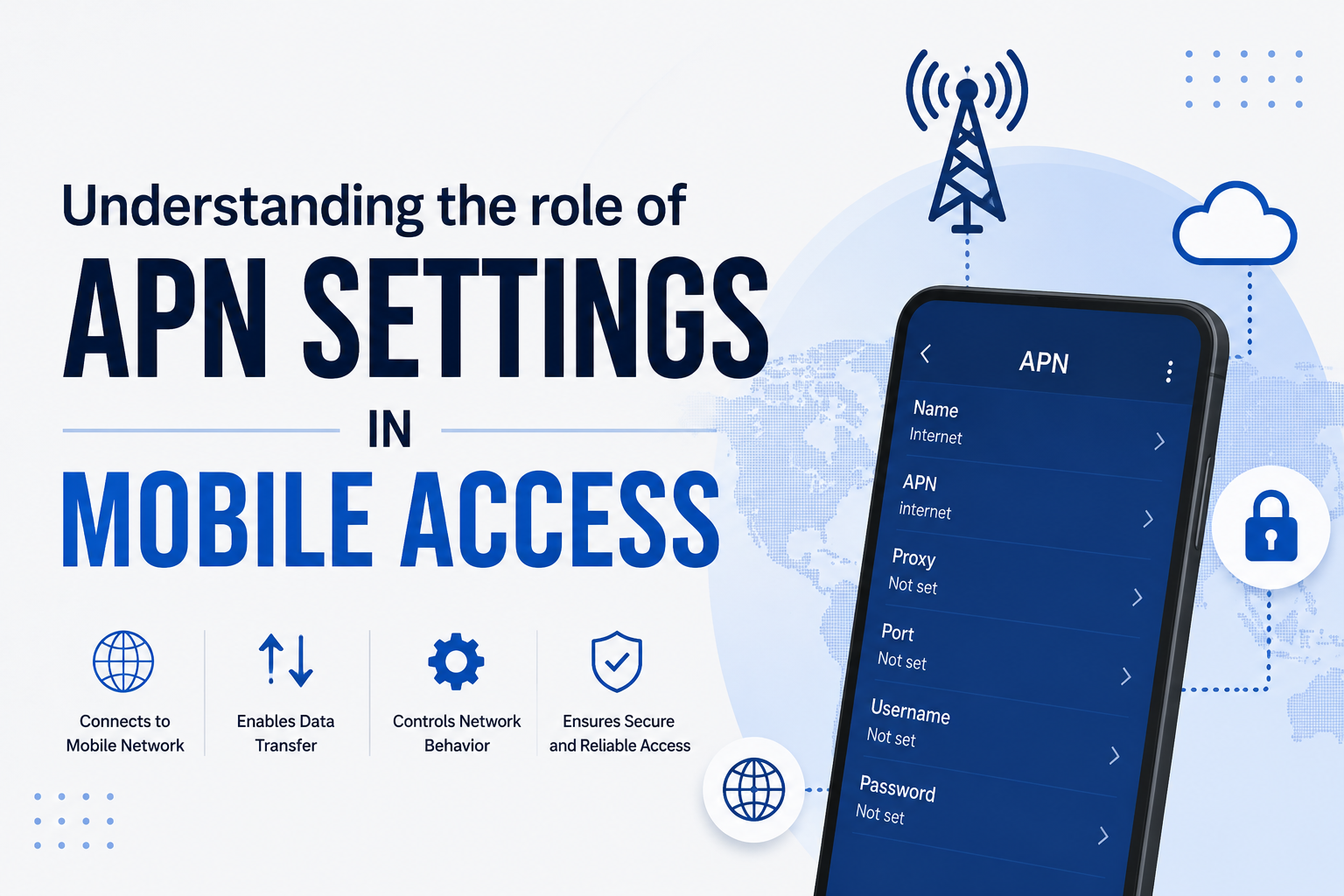
Configuring your Android APN (Access Point Name) settings may not be the most active thing to do but it is one of the most essential things to do in order to ensure that your phone remains connected to the internet and multimedia services. Whether it comes to changing your carrier, troubleshooting connectivity problems, or you just need to know how to set APN settings, it can help save a lot of pain and frustration by understanding the process of APN configuration.
This blog will take you through all the details that you need to know about Android APN settings, including how to locate them on your phone and troubleshoot the most frequent issues, so that you can be in touch without any interruptions.
What is an APN?
An Access Point Name (APN) is a gateway through which your mobile device can be connected to the internet when using the network of your carrier. It establishes network parameters, such as IP address, and security policies to keep the smartphones and IoT devices connected. With the evolution of mobile technology, the knowledge of APNs is significant to maximize connectivity and enable devices to use the highest-speed and most secure networks. This knowledge can be used across personal and business.
Mobile phones are now part of life, whether it is internet surfing and video streaming, or even smart control of a home. Your mobile device or IoT gadget may be unable to connect to the internet or to access some services without appropriate APN settings. The increased demand for connected devices demonstrates the need to adopt strong APN setups that would accommodate several devices without affecting performance and security.
Why APN settings matter?
APN environments provide mobile and IoT networks with a stable internet connection. They determine IP assignment and security parameters to protect information and optimize the speed and reliability of the network according to the settings of the carrier. As mobile connectivity is becoming increasingly important, device performance and maintenance are equally important as proper APN configurations. Network performance and responsiveness may also be influenced by unnecessary background applications and storage bloat.
To maintain their machines in the most optimal functionality and guarantee successful use of APN to connect with other systems, anyone seeking to understand what a cleaner expert suggests as reliable options to clean up space, give control to applications and improve the overall stability of the system can learn more by visiting a reputable cleaning service provider of the iPhone. Poorly set up APNs may lead to connectivity problems, low speed of data transfer and security threats. Because of the growing complexity of network environments, an accuracy in APN settings can prevent such problems, particularly in high-data environment settings.
What is the role of an APN in a mobile network?
Basically, when a user attempts to use the internet on his or her mobile phone, the phone contacts the APN settings in order to get connected to the network of the carrier. The APN will decide on the connection to the internet and the IP address to be assigned to the device so the data of the user is routed properly.
In addition to internet connectivity, APNs also contribute to the determination of access to other services, i.e., MMS or tethering. The services of various types may demand different APN configurations. Basically, the APN is like a series of guidelines and the device follows the instructions in order to access the network of the carrier to access different services.
Within the larger picture of mobile networks, APNs prove important since they make sure that users have access to the services that they require at the time they require them.
Key functions of an APN
The APN is central to the user experience by controlling the connections and communications between devices and mobile networks. These are some of its major duties:
- IP address allocation
Each and every machine that can be connected to the internet must have an identifier as each and every house has its own address. This characteristic is the IP (Internet Protocol) address. Assigning this IP address to the device is the duty of the APN. This allocation can be:
- Dynamic: IP address varies with each connection.
- Status Quo: The device does not change its IP address.
When each device is assigned a unique IP address, it ensures smooth exchange of data, and avoids conflicts.
- Network type determination
Mobile networks have developed to 5G. The APN is vital in the process of assessment of the networks present and which network your device connects to. It may be 3G, 4G, or the high-speed 5G but the APN will ensure that your device is connected to the most suitable type of a network. This ensures that you have optimum connection at all times maximizing on the speed and dependability.
- Enforcement of security procedures.
In the modern society, the security of devices is the key. APNs implement and create security measures that commit data transfer between the device and the network to an encrypted format. This encryption guarantees the privacy of user information against threats of attacks, unauthorized access and wiretapping. An additional layer of security is that APNs can specify authentication techniques to identify the device before access is granted.
Having a basic knowledge about APN functions, you are in a better position to appreciate the complexity of the settings and the crucial role played by it in mobile connectivity.
Typical APN settings and configuration.
The APN settings can be adjusted to your requirements. Typical environments are APN types, proxy settings and step-by-step configuration guidelines.
- APN type
Internet data is configured to default APNs and multimedia messaging services are configured to MMS APNs.
- Proxy settings
Internet traffic routing needs a proxy server for some carriers in order to achieve safe and effective transmission of data.
- MMSC configuration
MMSC Multimedia messaging can only be achieved through the Multimedia Messaging Service Center (MMSC). It is a URL that interprets and directs such messages and makes sure that they are delivered to the desired destination.
How to modify APN settings?
- Open “Settings” on your device
- Go to “Network & Internet
- Choose Mobile Networks – “Access Point Names”
- Tap Add New APN and input the settings that are offered by your carrier.
- Reboot and reboot.
How to Change and replace your APN?
It is useful to know how to modify your APN settings whether it is during a carrier change or during troubleshooting. On a majority of devices, these are the steps to change your APN settings:
- Go to your devices settings.
- Locate Network and Internet or analog.
- APN settings are available there, and you can make required modifications.
Difficulties related to inappropriate APN settings.
The improper APN settings may result into various connectivity problems, which affect the performance of your device and may even cause an extra expense or loss of security.
- Impaired internet connectivity.
Without the correct APN, your device might not have an access to the internet. You may not be able to use the internet and other applications that you deem important like email, maps or browsers may not work at a time you need it most.
- MMS difficulties
Multimedia messages sent or received may not pass through incorrect MMSC settings. This problem may be particularly annoying when one wants to send photos, videos, or other media to his or her friends and family.
- Slow data speeds
The device may have its data speeds restricted by a misconfigured APN which may impact streaming and browsing. In the long run, the resulting misconfiguration may result in longer load times and buffering which will reduce the overall user experience.
- Security vulnerabilities
Failure to implement proper security settings will expose your machine to potential risks, including unauthorized access, data-leakage or even purchase costs in the event that data quotas have exceeded.
Four-step troubleshooting of APN issues.
Connectivity can be disturbed by APN issues. The typical issues are lack of internet connectivity, sluggish data connection, nonfunctioning MMS and insecurity.
The APN problems frequently are resolved through a combination of verification, adaptation, and (in some cases) professional advice. The following are some of the issues established above that can be resolved in a hurry:
1. Verify APN settings
The first thing to do is always to check that the APN settings are correct (those offered by your carrier). It is also imperative to keep up with changes as carriers change their settings occasionally.
2. Reset to default
Small discrepancies can be frequently corrected by reconfiguring APN settings to the default. Before changing, however, it is important to remember to make a note or to save your present settings. This is a safety measure so that you can undo it.
3. Manual settings.
In the case of recurring problems, entering the APN settings offered by your carrier manually may be the answer. The method is particularly applicable to unlocked devices or when changing carriers.
4. Contact your carrier
And in case you still have the problems, you should always refer to the technical support of your carrier to assist you. They can provide you with a step-by-step instruction of how to do everything correctly to set up your device.
These steps will ensure that your mobile device is configured and is ready to use.
Conclusion
Access Point Name (APN) is one of the key elements of mobile networks which receive communication of information between mobile devices and the internet. It is important that both the users and the network operators understand its structure, functionality, and its configuration. Along with the further development of mobile technology, the role of APNs increase, and the necessity to control and organize it properly, and securely. Users should also be aware of their APN settings so that they can achieve optimal connectivity and network providers should endeavor to provide them with clear directives and support in order to provide better user experience.
FAQs
Q1. What should I do in case I delete my APN settings?
Erase APN settings will break your mobile data and MMS connection. You will have to re-enter the details or default to restoring them.
Q2. Is it possible to have several APN profiles?
It is true that you can have more than one profile but only one profile may be active at a time.
Q3. Should I make changes to APN settings for 5G?
The 5G networks have a similar setting of APN as 4G. Ask your carrier to assure you.
Q4. Why does my phone not save APN settings?
This might be carrier constraint. Call your network provider to help you.
Q5. Does an APN setting have an impact on battery life?
Wrong APN settings will force your phone to keep searching a network, and this consumes more battery.