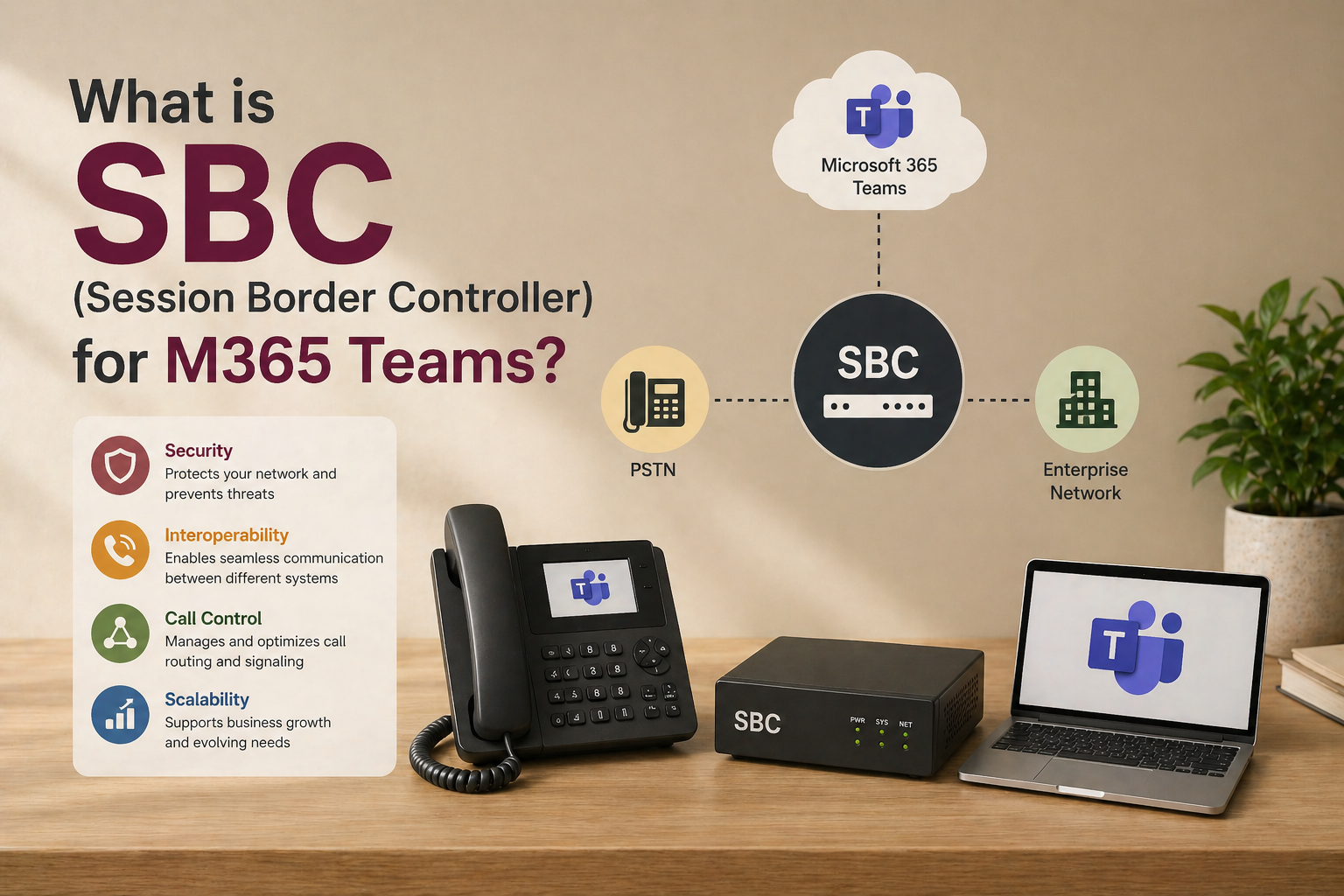
Microsoft Teams has established itself as a collaboration powerhouse. But in the case of inter-organizational linking calls, Session Border Controllers (SBCs) become important.
Regardless of the configuration of your system to have or not have Microsoft Teams Direct Routing and/or a hybrid telephony system, SBCs can be configured to support secure and seamless external communication with the public switched telephone networks (PSTN) and VoIP systems.
This blog will be a breakdown of what SBC is, how it integrates with Microsoft Teams, its benefits and how to implement it.
What Is a Microsoft Teams SBC?
A Session Border Controller (SBC) is software that securely routes voice-over-IP (VoIP) calls and unified communications (UC) connections between networks.
It serves as a controller that censors the traffic of real-time communication such as voice and video calls, between your internal and external systems.
In a Teams Direct Routing configuration, an SBC links Teams to either traditional phone networks (PSTN) or VoIP systems and allows external connections. Also, SBCs offer important role such as security, route call and traffic control.
Advantages of an SBC with Microsoft Teams.
What is the reason to consider an SBC to use in Microsoft Teams? To see a few of the advantages, let us take a look:
- Savings: An SBC will allow you to go around the default Calling Plans of Microsoft and use Direct Routing to reach your PSTN over a SIP trunk. The companies are then able to select cost-efficient telecom operators, bargain for lower charges, and not be bound to one supplier.
- Scalability: SBCs provide the ability to easily expand your communication system with the increase of your business grows without having to upgrade hardware. They also combine with various carriers and first-rate call routing and offer a flexible communication solution that can be expanded as your needs increase.
- Increased security: SBCs guard MS Teams against such issues as denial-of-service (DoS) vulnerability, toll fraud, and eavesdropping. They are used to make sure that unauthorized traffic will not get into your network. SBCs also encrypt all voice and data transmissions and keep your company private and intact. It is also worth pointing out that an SBC will assist you in complying with such regulations as HIPAA and GDPR.
- Better call quality: The SBCs can use bandwidth and prioritize communication traffic in order to improve the quality of calls. Facilities such as call admission control and traffic shaping provide crystal clear and non-interrupted communication even at times of high network usage.
How to Implement an SBC to Microsoft Teams?
In Microsoft Teams, SIP Trunking over Direct Routing will need a Session Border Controller (SBC). This provides a safe, trustworthy connection of your telephony system and Teams.
The following are some tips that will assist you:
1. Self Assessment of Communication Needs
Begin with an assessment of your present and future communication requirements. Identify how many external lines and locations should be connected, and decide if Direct Routing is the appropriate solution to your configuration.
2. Choose an SBC Provider
To have a smooth and secure setting of communication, choose a Microsoft-certified SBC provider with a track record. Working with a trusted partner in Microsoft Teams integration can be used to simplify this process.
Here are some of the considerations for the selection process:
- Compatibility: Ensure the provider is MS-certified as compatible with Teams and meets your company’s requirements. Watch out Microsoft Teams calling experts.
- Security Features: Select an SBC with high security, such as encryption, firewall protection, and DoS-defence.
- Scalability: You should ensure that the SBC solution is scalable as your business expands; you may be a small firm or a big enterprise.
- Support and services: Select the providers that provide customer service, frequent software improvement, and prompt resolution of customer issues.
- Price: Compare pricing schemes, however, make sure that the provider provides the necessary features, flexibility, and scalability, which would match your budget.
3. Procure Necessary Licenses
The correct Microsoft 365 licenses should be in place before you begin. Users who require external call options with Teams will require Teams Phone licenses and Direct Routing options.
4. Set up SIP Trunking
Connect a SIP trunk between SBC and telecom provider of your choice. This connection also enables external telephone calling using Microsoft Teams by connecting to the Public Switched Telephone Network (PSTN).
5. Link SBC to Microsoft Teams.
After picking out your SBC and installing it, make it to work with Microsoft Teams by using Direct Routing. Follow the guidance from Microsoft, such as DNS mapping, certificate installation and firewall configuration, to ensure a secure communications environment.
6. Test, Monitor, and Optimize
After you configure your SBC, test your Microsoft Teams phone system to ensure proper call routing, clear audio quality and security. This is required in the identification and resolution of any problem prior to full implementation.
After the SBC is active, it must be maintained. Check quality, security and network performance regularly. Direct traffic and call flows as required to maximize performance with an eye on network load to avoid congestion.
SBC for Microsoft Teams Best Practices.
- Software updates: Vulnerability to security attacks: keep up with the SBC software to ensure the software remains secure. ZIRO regularly releases updates to address security issues and enhance functionality.
- Traffic prioritization: Priority Microsoft Teams video calling over other network traffic with call admission control and traffic shaping features. This maintains the quality of the calls even when there is a high usage of bandwidth.
- Keep track of performance: Track the performance of your team and SBC constantly. Monitor the quality of calls as well as traffic and security incidents using monitoring tools.
In Conclusion
Overall, a Session Border Controller (SBC) to Microsoft 365 Teams is necessary to secure, deliver quality, and control inbound and outbound voice and video calls. It is a vital element during binding Teams with external telephony networks, safeguarding against threats, maintaining high-quality calls, and addressing the regulatory demands. SBCs are crucial to facilitating smooth, safe communication amongst users of Teams regardless of whether the business is small or big.
FAQs
Q1. What is SBC in Microsoft 365 Teams?
A Session Border Controller (SBC) is a network device that can be used to manage, secure and route real-time communication sessions, i.e., audio and video calls, in Microsoft Teams to external networks. It enables secure access to external telephony systems (such as PSTN) and helps to ensure the quality and security of calls.
Q2. What is an SBC that Microsoft Teams Direct Routing requires?
Direct Routing requires an SBC, which links Microsoft Teams with external telephony, i.e. individual telephone lines or third-party VoIP networks. It serves as a transition, which means that Teams users will ensure that calls may be shared with other networks safely and maintained to high-quality standards, whereas it will address security and compliance needs.
Q3. What is the benefit of an SBC on Microsoft Teams?
SBCs assist in the control of real-time communication through the monitoring of the network conditions and optimization of voice and video traffic. They provide a clear call by minimizing latency, jitter and packet loss and assist in maintaining stability and quality of a call even in changing network conditions.
Q4. Is an SBC able to secure Microsoft Teams against security threats?
Yes, SBCs are secure as they identify and filter communication traffic with malicious information and block unauthorized access, fraud, and possible attacks. They offer safe encryption of the calls and they assist in keeping to the rules of data protection.
Q5. What can an SBC do to make sure that it meets the Microsoft Teams regulation?
An SBC might help with fulfilling regulatory needs, including call logging, making it possible to record calls, and verifying that voice communications meet industry-specific standards, including HIPAA in healthcare or GDPR in Europe. It also offers the requirement security and audit trails to enable compliance.