The problems that customers normally experience in making a call to businesses are multiple unconnected calls, waiting time, unresponsive calls and multiple call directs. This has given a negative impression on the call centers and the companies that operate them. When you look at a report by McKinsey states that 71% of the customer expect the brand to create personalized interactions, and 76% end up frustrated when the brand does not do it.
Therefore, the brands are seeking some viable alternatives that may provide consumer interaction and the provision of a better experience. One of the most suitable alternatives to these problems is the IVR (Interactive Voice Response).
This blog is an exploration into the significance of IVR and the meaningful progress on how to establish a useful IVR system within the shortest possible time.
What is IVR?
IVR is an abbreviation that means Interactive Voice Response. It is a communication technology that allows customers to gain access to information by connecting to the desired destination which is automated. This is whereby the system gives them alternative choices and advises them.
Even at the beginning, a Cloud PBX phone system communicates with the customers and collects the needed information by proposing them with choices. Depending on the response of the customer, the IVR gives an immediate response or directly directs the call to the relevant agent, team, or department so as to offer faster and efficient communication.
In case the query posed by the customer is straightforward and simple, then the IVR will take it up and the answers will be given fast. The IVR is successful in directing the call to other people when the call system fails to respond to the query.
An illustration of this is when you make a telephone call to a business, you are greeted with automated greetings, which are programmed by the brand. Then, you exchange with the IVR using a recorded voice by selecting the menu in the keypad and receiving an answer.
How does an IVR work?
In the olden days, installing an IVR was cumbersome because the specification was not easy and costly. Therefore, the companies were seeking a stable and cost-effective solution.
Conversely, the contemporary cloud telephony IVR does not need any physical infrastructure or hardware, and is easily configured with a few clicks.
The following are the Steps of high-end IVR Call System Setup:
- A client calls the company.
- IVR welcomes the customer with a welcome music.
- It offers a combination of choices to capture the customer and request to make a choice on it.
- The caller uses the option on his or her phone keypad.
- Depending on the response, IVR attempts to give a self-service response.
- In case IVR fails, the call will be sent to the agent on a skill-based routing.
Real Scenario to be Easily Understood:
- You pick up the phone and call the business as you flip through an issue..
- You are going to hear the welcome music.
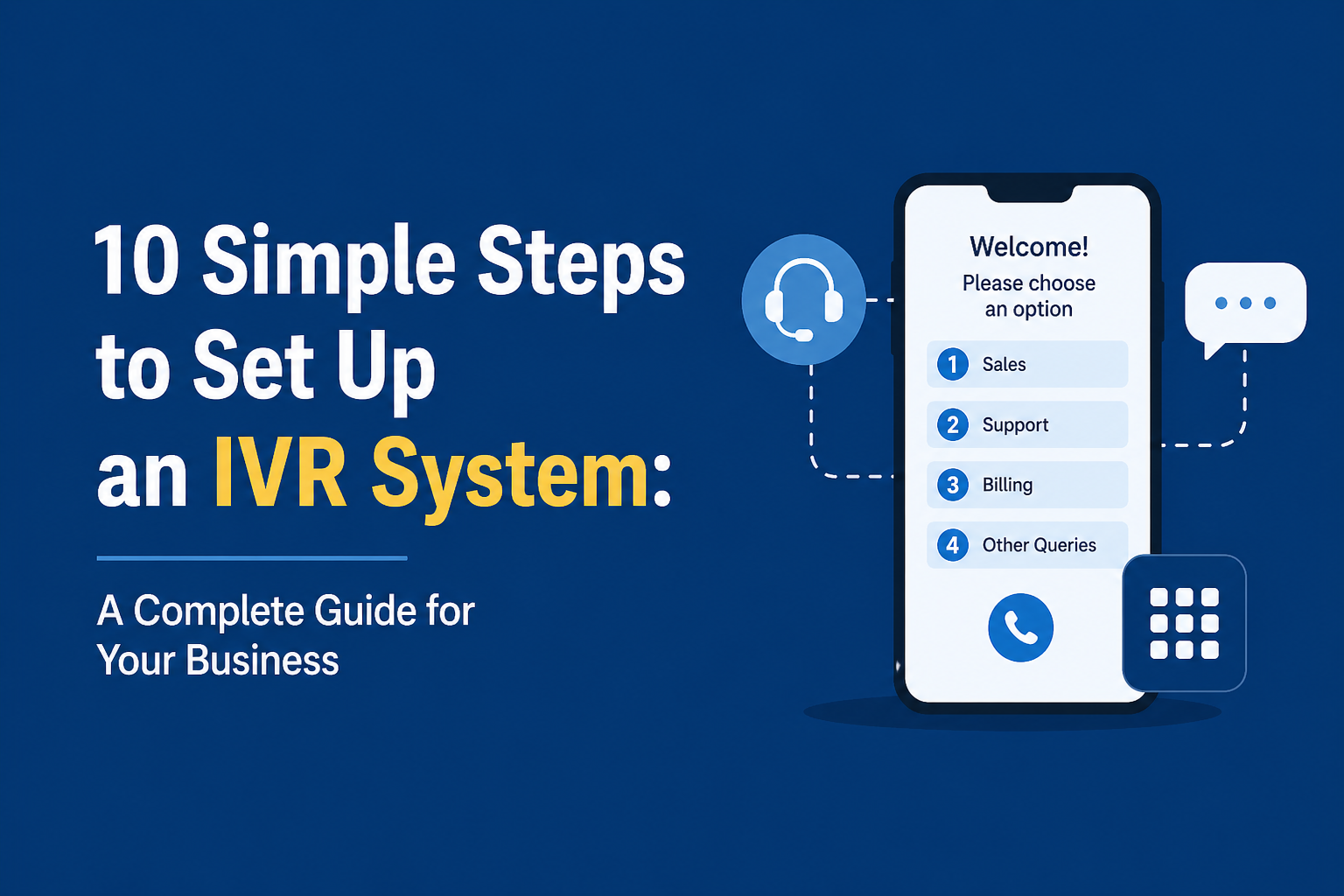
- The IVR has given you choices of Pressing 1 to have maintenance problems, Pressing 2 to know the account balance and payment options, and Pressing 3 to call the customer care executive.
- Depending on your reply, the IVR software will answer or transfer your call to resolve your query.
In this case, the automated IVR takes voice recognition software to collect and identify the customer input and channel the call to the existing competent agents.
How to install an IVR system without any problems: 10 Steps:
IVR systems are a wonderful alternative that businesses can choose to improve their profits and customer experience, thus it is necessary to transition to the systems and feel its benefits. The following 10 steps can assist you with an IVR system which can be established in a short period of time:
1) State your Objectives and Goals.
The initial consideration when establishing an IVR calling system is to enlist and identify the goals and objectives. The following are some of the things that you can take into account:
- Shortening the waiting times.
- Handling the calls expertly.
- Robotizing the repetitive activities.
- Improving customer experience.
- Receiving feedbacks of the customers.
2) Select the Best IVR to Your Brand.
The next step is to select the appropriate IVR system to use because the industry has many different systems. VoIP is the company specializing in the provision of feature-rich IVR system at affordable rates. Nonetheless, you can conduct your research by taking the following factors into consideration:
- Is the selected IVR system dynamic enough to meet the most recent requirements and changes?
- Is the application cost effective?
- Is it easy to integrate the business tools?
- Does the system have the capability of customizing my needs?
3) Design a Smooth Call Flow
To win the trust of the customer then it is essential to have a super-friendly call flow. The following are some of the tips that you can follow when laying out the call flow:
- The call flow must be easy to use and follow.
- Have less menu options
- An obligatory service to talk to an agent.
- Intelligible and clear language.
4) Have a Professional Voice Prompt.
Voiceover is an important aspect that can be used to improve the customer experience. The following ones are to be followed to do so:
- Getting someone to do voice over or a text-to-speech converter.
- Using a simple language
- Be sure to have it rightly pronounced.
- Multilingual Recording of voice-overs.
5) Develop a successful Call-routing Strategy.
A successful IVR call routing strategy has the potential to shorten the waiting time and enhance customer satisfaction. Therefore please take care to do the following:
- Decision on the call routing parameters (It may be agent availability, input of the caller, time of the day, etc.)
- Alternate among the routing rules, in terms of the business objectives and adjectives.
- Test the rules to do the necessary customizations and improve the performance.
6) Unite Your Business Tools.
Since businesses are considering to remain employing the business tools that they are currently using, they must be incorporated into the application. The combination of the two will help you to attain the following:
- Welcome notes and menu choices that are specific to each customer.
- Automatic identification of callers and data mining.
- Swift immediate agent-to-agent call transfer.
- Real-time data is reflected in the dashboards.
7) Train the Agents and Staff regarding IVRs.
The agents are the pillars of the organization. To achieve a two-step and hassle-free process with the switch to IVR systems, one should pay attention to the following:
- The agents are to be trained on the sorted call flow and menu options.
- Making instructions on customer query management.
- Training agents on the use of the data on CRM and its access.
- Giving special hints on dealing with customer problems.
8) Constantly Check and Customize.
Begin tailoring your IVR service by identifying the areas which will be improved and checking them on a regular basis. It is possible to pay attention and assess the following metrics:
- Know about disconnected calls by call abandonment rates.
- Mean number of seconds of a call between customers and agents.
- Customer interaction rates to gauge level of satisfaction.
- The team is considered by its first-call resolution rates which determine whether the team can solve the needs of the customers on the first try.
9) Collect Customer Feedback
Feedbacks served by customers are a support pillar in developing your business. In order to find out the areas to improve and what is missing, therefore, make sure to gather customer feedback. Here are a few ways to get them:
- Mailing out surveys/feedback forms after the call.
- Surveys through emails and SMS to facilitate easy access.
- Checking their social media accounts to get feedback.
- Gaining first hand feedback by the customers.
10) Upgrade Your System on a regular basis.
To ensure that your IVR system is operating well, then you should maintain and update it regularly. To keep the IVR system up to date with the latest functionality and patches, you can use the following steps:
- Voiceover has to be revised and looked at frequently.
- The call routing roles should be tested and updated on a need basis.
- Doing technical work, in case there are any.
- Adding new features and uses to improve the application.
These are top 10 steps that you can take when you delve to find out how to establish an IVR system that can do you better.
Top tips in establishing an IVR System
You have now been taught how to configure IVR. When doing the setup, it is possible to follow the 10 easy steps as follows:
- Meet Your Audience in a Pleasant Way.
Professionally and friendly welcome note can be given to your customers to welcome them in an enjoyable manner. A hearty salutation in an applauding voice would be most pleasant.
Here is an example: “Hello! Hopefully, it is a great day. Thank you for calling us!” It is professional and friendly.
- Create a Business Voiceover.
Ensure that you also use a single voice during the entire call rather than changing the voices or robot voice prompts. Instead of a computerized voiceover, you could hire a professional voiceover artist and design an easy-to-use prompt that could be enjoyable and interesting.
- Take Fine-tuned Music When the Call is Held.
This is followed by the professional music when the customer calls are put on hold. Develop catchy music that will not cause the customers to hang or be angry but it should be in your brand image. You also can merge the major notifications and updates in between.
- Do NOT Overload Your Customer with IVR Options.
The customers go to the business in order to have their concerns answered promptly. Therefore, the menu should not be too cluttered with business options. Therefore, the customers might terminate the call.
- Make Timely IVR Assessments
Monitoring and checking on updates is necessary so that to ensure that the IVR system is working correctly. You can as well discuss the common problems and technical problems in the application and establish an optimized solution.
- Monitor Your IVR Functionalities.
Periodically review the functionality of your IVR system and combine the most current company announcements, news, promotions, and discounts among other changes. A customer survey at the conclusion of the call can also be done to enhance their product.
- Easy IVR Navigation To Your Customers.
Customers tend to cancel the call upon not getting the answers to their queries by the brand. As we have mentioned above, ease of menu navigation and restriction of choices can be made to enhance customer experience of calling.
- Inform Callers of their Position on Queue.
Customers will find it tiresome to wait in the queue. It will be an excellent gesture of your side to give them their place in the queue and time to talk with the agents. This is able to eliminate several call abandonments.
- Provide a Choice to get in touch with Agents ASAP.
Most customers like to communicate with human beings in order to have their inquiries addressed effectively. Therefore, in designing the call flow, give an option of calling a live agent which should be mandatory.
- Conclude the Call Politely
When you have a feeling that the customer is about to end the call, you can politely ask to get the feedback and leave the call gracefully. As an illustration, you can say words like, Thank you, calling us, we hope that your questions are answered, and you will have a good experience with us.
Conclusion
The game-changer of any business, big or small, with an efficient IVR system can be achieved. Ensure that you receive the appropriate IVR calling system that addresses your expectations and requirements to enhance your business performance.
The use of IVR in the business communication plan is a continuous process of adjustment and enhancement. By concentrating on the development of easy to use scripts, dealing with the shortcomings of the system and keeping on optimising the installation, businesses will be able to greatly enhance their abilities in providing customer service.
FAQs
Q1. What is the best way to configure an IVR to my business?
Select an IVR company, configure the flow (e.g. press 1 for sales, 2 for support), the business timetable and configure greetings. Lastly, deploy, optimize the flow and test it.
Q2. What are the Information I Should Include in my IVR Greeting?
Begins with a welcome message, quite obviously defining the menu choices (e.g., Press 1 Sales), followed by an estimated wait time or important phone call details.
Q3. Am I Requirement to Have Technical Knowledge in IVR set up?
No, drag-and-drop functionality, and built-in flows, you are able to customize the entire workflow and automate the process even without any code or technical skills.
Q4. What is the Time it takes to install an IVR System?
The IVR system of TeleCMI can be configured within 30 minutes to one day depending on the process tailoring.
Q5. What can companies do to make sure they have an effective IVR?
The main decisions that businesses can make to achieve an effective IVR setup is to be very specific in the logic of the call flow, make the menus’ brief and easy to use, conduct extensive test before launching the system, update the voice prompt and menu options regularly due to user feedback, and measuring the performance of the IVR to find areas to improve.
Q6. What should businesses do to maximise their IVR systems to benefit the customer experience?
To make IVR configuration more customer-friendly, companies must address streamlined and straightforward menu choices and voice responses, self-service functions to resolve common questions, offer more personalized interactions during calls by using call data, and recalibrate the IVR system to meet evolving customer demands and requirements as they come.